EN / ES A fully bilingual clinical workspace

Practice management for clinicians who take the record seriously

Praxis brings patient contacts, session notes, standardized assessments, informed consent, outcome tracking and invoicing into one secure workspace — built for psychologists, medical professionals and private clinics.

  • One plan, $65 per user
  • No setup fee
  • Cancel any time
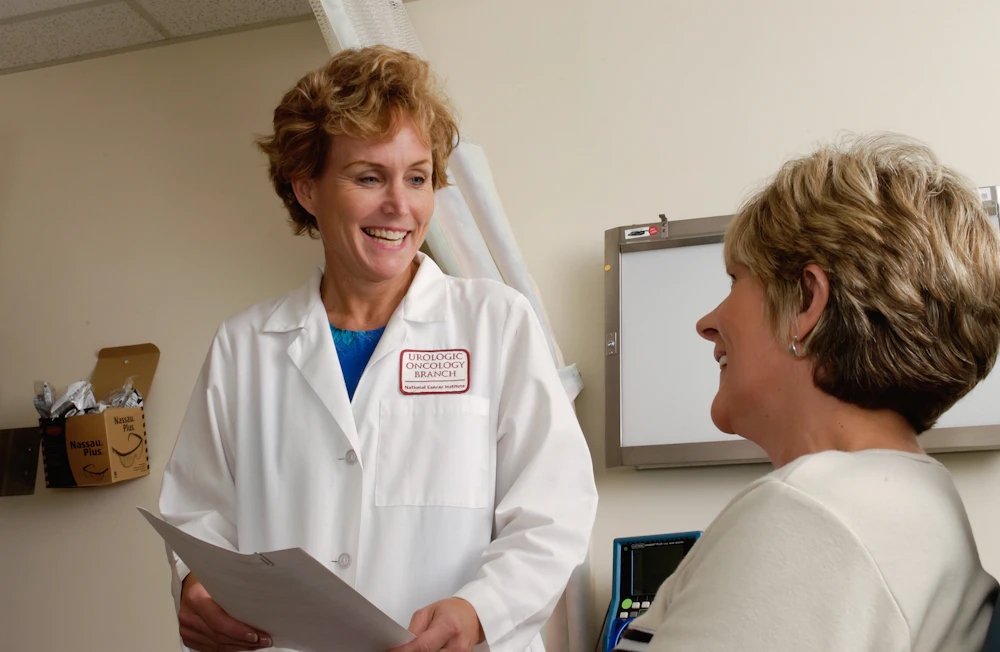
A clinician reviewing a patient's chart with her during a consultation

PHQ-9 · 12 weeks 8 pts

14 → 6

Built in from day one

  • PHQ-9
  • GAD-7
  • PCL-5
  • PSS-10
  • WHO-5
  • KDQOL-36
  • SOAP
  • DAP

The platform

Everything a clinical practice runs on, in one place

No bolted-together spreadsheets, no separate questionnaire tool, no consent forms living in a filing cabinet. Praxis covers the whole arc from first contact to signed record to paid invoice.

Patient records and contacts

One chart per patient holding contact and emergency-contact details, risk level, treatment status, documents and the full clinical history.

  • Contact book and emergency contacts on every chart
  • Risk level, status workflow and secure documents
  • CSV import for bulk onboarding

Session notes

Write in SOAP, DAP or free text, then sign the note to lock it. Locked notes cannot be rewritten — corrections go in an addendum that stays on the record.

  • Sign and lock with an append-only addendum trail
  • Reusable templates for recurring formats
  • Print and PDF that read properly on paper

Standardized assessments

Run validated instruments in session or between them. Scoring, subscales and severity bands are calculated the moment an answer sheet is submitted.

  • Automatic scoring and subscale breakdowns
  • Safety alerts on endorsed critical items
  • Your own instruments alongside the built-in set

Informed consent

Signed in session on screen, remotely through a secure link, or on paper from a printable form — with your own wording in English and Spanish.

  • Wording is frozen onto each signed copy
  • Dashboard reminder for pending consent
  • Editable templates per practice

Calendar and session prep

Month, week and day views with recurring series, attendance tracking and video join links — plus a one-screen brief before the patient walks in.

  • Recurring series and attendance actions
  • Video session links on the appointment
  • Appointment reminders drafted for you

Outcomes and reporting

See how scores are moving across the whole practice, which patients need attention, and what the month actually billed.

  • Practice-wide score trends and per-patient change
  • Attention list driven by safety flags
  • CSV export for outcomes and invoices

How it works

Three moves, and the record writes itself

Praxis is organised around the clinical hour rather than around a database. Each step leaves the chart more complete than it found it.

  1. Open the chart

    Session prep puts the last note, the active treatment goals, the latest scores and any risk flags on a single screen before the patient arrives.

  2. Work the session

    Write the note in your preferred format, run an instrument, update the treatment plan, then sign to lock the record and stamp it with the date and your license.

  3. Follow the outcome

    Send a single-use link for the next questionnaire. It comes back scored, plots itself on the progress chart and flags anything that needs a safety review.

A practitioner working at a laptop in a bright consulting room

Measurement-based care

Validated instruments, scored the moment they are submitted

PHQ-9, GAD-7, PCL-5, PSS-10, WHO-5 and KDQOL-36 ship with the platform, complete with subscales and severity bands. Scoring runs on the server, so a tampered submission cannot hide an endorsed critical item — the safety flag is raised before the result ever reaches the chart.

  • PHQ-9
  • GAD-7
  • PCL-5
  • PSS-10
  • WHO-5
  • KDQOL-36
  • Your own instruments

PHQ-9Depression severity

8 −6

GAD-7Anxiety severity

5 −4

WHO-5Wellbeing index

68 +12

PHQ-9 item 9Critical item endorsed

Safety review

Contacts and billing

The business side of the practice, on the same record

Praxis is also your patient contact book and your invoicing ledger. Contact details, emergency contacts, session invoices and payment status sit on the same chart as the clinical history — so nobody reconciles a spreadsheet against a filing cabinet at the end of the month.

  • Every chart carries phone, email, address and a named emergency contact.
  • Bring an existing contact list in by CSV — contacts only, no clinical data.
  • Invoice a completed session straight from the calendar, numbered per practice.
  • Draft, sent, paid or void — with overdue invoices surfaced automatically.
  • A standing list of completed sessions that have not been invoiced yet.
  • Your own currency, and a CSV export your accountant can actually open.

Billing

March

Outstanding

$1,240

Paid

$3,880

Overdue

$310

  • INV-0142Session · 14 Mar $95 Paid
  • INV-0141Session · 11 Mar $95 Sent
  • INV-0138Session · 26 Feb $310 Overdue

Optional add-ons

AI plugins, only if you want them

Two plugins sit on top of the platform for practices that want them. Both are off until you ask for them, both are priced separately from the $65 plan, and nothing described anywhere else on this page depends on either one.

Optional

Data analytics

Ask questions of your own outcome data in plain language — which cohorts are improving, where people drop out, how this quarter compares with the last.

  • Cohort and caseload trends across instruments
  • Plain-language questions instead of report builders
  • Every figure traceable back to the records behind it
Optional

Assessment writing

Turn scored instruments, session notes and treatment goals into a first draft of the assessment or progress report, in your own structure and language.

  • Drafts built from the scores already in the chart
  • Your report structure and wording, English or Spanish
  • Arrives as an unsigned draft, never as a finished note

The plugins draft; they never sign. Anything they produce arrives as an unsigned draft that a clinician reads, edits and signs, so the integrity rules that govern the record do not change. Model hosting, data handling and exactly what leaves your server are agreed in writing before a plugin is switched on.

Integrity and privacy

Records built to survive scrutiny

The guarantees below are enforced in the database, not just hidden in the interface. A clinical record is only worth what it can prove.

  • Row-level isolation

    Every row is scoped to the signed-in practitioner. There are no shared tables and no cross-practice reads.

  • Immutable signed notes

    Once a note is signed it cannot be edited or deleted. Corrections go in an append-only addendum and a void leaves a trail.

  • Private document storage

    Files live in a private bucket scoped to the practitioner and patient, and are served only through short-lived signed URLs.

  • Scoring on the server

    Assessment scoring, including the critical-item safety flag, happens in the database rather than the browser.

  • Single-use patient links

    Questionnaire and consent links expire after one use and expose nothing beyond a first name and the form itself.

  • Consent captured as signed

    The wording is copied onto the link when it is issued, so editing a template later never changes what an existing record says was agreed.

Praxis supplies the technical controls. Meeting HIPAA, GDPR or your own regulator also depends on where the data is hosted and how your practice operates, so we go through data residency, retention and access with you before you store a single patient record.

Who it is for

Built for the people who keep the notes

The same workspace scales from a single clinician to a clinic floor without changing how the record works.

A psychologist in her consulting practice

Psychologists and therapists

Run a full solo practice on one seat: charts, notes, treatment plans, consent, outcomes and invoicing without a practice manager in the middle.

A medical professional in a white coat outside a clinic

Medical professionals

Track patient-reported outcomes alongside your clinical notes, with quality-of-life instruments such as KDQOL-36 and WHO-5 scored automatically.

The reception desk of a private clinic

Private clinics

Add a seat per clinician, keep each caseload isolated, and give a bilingual team one shared standard for notes, consent and measurement.

Pricing

One plan. One price. Everything included.

No tiers to compare, no features held back for an enterprise call, no charge per patient or per questionnaire.

Complete plan

$ 65 / user / month

Billed monthly per active user. Add a colleague whenever you need one.

  • Unlimited patients and appointments
  • Patient contacts and emergency contacts
  • SOAP, DAP and freeform notes
  • Every built-in assessment instrument
  • Custom instruments and note templates
  • Treatment plans and safety plans
  • Informed consent, online and on paper
  • Patient portal links, no patient accounts
  • Outcomes dashboard and session prep
  • Billing, invoicing and CSV export
  • Secure document storage
  • Print and PDF for every clinical document
  • English and Spanish interface
Request a demo

No setup fee. No per-patient charge. Cancel any time. The optional AI plugins are quoted separately.

Questions

Frequently asked questions

The whole platform. Patient contacts, session notes, treatment plans, every built-in assessment instrument, informed consent, the patient portal, documents, outcomes and billing and invoicing are all part of the single plan. There are no feature tiers and no per-patient charges. The only things priced separately are the optional AI plugins, which stay off unless you ask for them.

No. A single clinician can run a full practice on one seat, and you add seats only when a colleague joins. Billing is monthly per active user and you can cancel at any time.

Praxis provides the technical controls compliance depends on: per-practitioner row-level isolation, immutable signed notes, append-only addenda, private document storage with short-lived signed URLs, and server-side assessment scoring. Compliance also depends on where your data is hosted and how your practice operates, so we review data residency, retention and your regulator's requirements with you before you go live.

No. Questionnaires and consent forms are sent as single-use links that expire after they are used. A patient opens the link, answers, and the result lands in their chart already scored. There is no patient password to reset and no patient login to support.

Yes. The whole interface switches between English and Spanish per user, and assessment instruments, consent wording and patient-facing links are bilingual. A bilingual practice can have clinicians working in different languages on the same records.

Yes. Alongside the built-in instruments you can define your own with custom items, response scales and scoring. Custom instruments get the same progress charts, per-item answer sheets and printable results as the standard ones.

No. The data analytics and assessment writing plugins are optional add-ons, disabled unless you ask for them and quoted separately from the $65 plan. Everything else on this page works without them. When they are enabled they only ever produce drafts: a clinician still reads, edits and signs anything that enters the record, and we agree model hosting and data handling in writing before either plugin is switched on.

Request a demo

See Praxis against your own workflow

Tell us how your practice runs today and we will walk you through the parts that matter to you — no scripted pitch.

  • A 30-minute walkthrough of the clinical workflow, not a slide deck.
  • Straight answers on hosting, data residency and migrating from your current system.
  • A sandbox with sample patients so your team can try it before deciding.
  • A reply within one business day, in English or Spanish.

We use your details only to arrange the demo. No newsletter, no third-party sharing. Never send patient information through this form.